
 Mike Smith
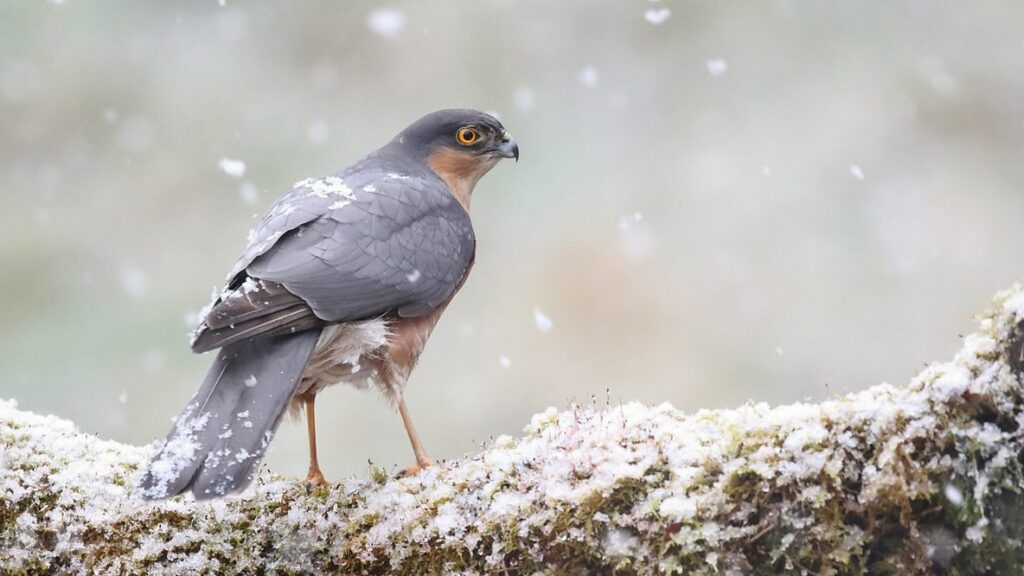
Here’s everything you need to know about the new season of the BBC Winterwatch series:
How to watch Winterwatch Series 14 in the US on BBC iPlayer
To watch Winterwatch Season 14 in the US, use a reliable VPN and connect to a UK server. Once connected, sign in to BBC iPlayer with a valid TV licence and stream full episodes live or on demand without regional restrictions.
- Subscribe to NordVPN
- Install the VPN app on your device.
- Connect to a UK-based server.
- Open BBC iPlayer website, then login or sign up for a new account. A UK postal code is required when creating a new account, and you can use a UK postcode generator if needed.
- You are all set to watch Winterwatch 2026 online!
Winterwatch Season 14 Synopsis
Winterwatch Season 14 is a new season of the live wildlife documentary series that focuses on how animals across the United Kingdom survive and adapt during the most challenging winter conditions. Broadcasting from the historic Mount Stewart estate on the shores of Strangford Lough in Northern Ireland, this season captures real time wildlife behaviour during long nights and cold weather, while also featuring filmed reports from England, Scotland, and Wales. The series continues its long running format of combining live observation, expert insight, and natural soundscapes to show that winter is one of the busiest and most dramatic periods in the natural world.
When Does Winterwatch Season 14 Premiere?
Winterwatch Season 14 premieres on Tuesday January 20, 2026 at 8pm on BBC Two.
Winterwatch Season 14 Episodes
Here are the episodes in season 4:
- Episode 1 – Premiere date: January 20, 2026
Chris Packham, Michaela Strachan, and Iolo Williams begin broadcasting live from the Mount Stewart estate on the shores of Strangford Lough, introducing the winter wildlife of Northern Ireland. - Episode 2 – Premiere date: January 21, 2026
Winter conditions intensify as the team continues live observations, revealing how birds and mammals respond to freezing temperatures and shorter days. - Episode 3 – Premiere date: January 22, 2026
This special music free episode relies entirely on natural sound, allowing viewers to experience winter wildlife exactly as it occurs in the field. - Episode 4 – Premiere date: January 23, 2026
The final episode celebrates the highlights of the season, showcasing the most memorable wildlife moments captured during the live broadcasts from Mount Stewart.
Winterwatch 2026 Cast
The series is presented by familiar faces who guide viewers through each live broadcast and wildlife report.
- Chris Packham as Presenter
- Michaela Strachan as Presenter
- Iolo Williams as Presenter
On What Devices Can You Watch BBC iPlayer?
BBC iPlayer supports a wide range of devices.
| Device Category | Supported Devices |
|---|---|
| Smart TVs | Samsung Smart TV, LG Smart TV, Android TV |
| Streaming Devices | Amazon Fire TV, Roku, Apple TV |
| Computers | Windows PCs, macOS computers via web browsers |
| Mobile Devices | iPhone, iPad, Android phones and tablets |
| Games Consoles | PlayStation, Xbox |
Is Winterwatch Season 14 Suitable for All Ages?
The series is suitable for general audiences and is typically rated suitable for all ages, making it appropriate for family viewing and educational use.
FAQs
Who produces Winterwatch Season 14?
The series is produced by the BBC Natural History Unit, a department known for long running factual programming focused on wildlife and environmental storytelling.
Is Winterwatch filmed entirely live?
While the main broadcasts are live, the series also includes pre recorded wildlife footage from across the UK to provide wider seasonal coverage.
Where is the main filming location for Season 14?
The primary live base for this season is the Mount Stewart estate in County Down, Northern Ireland, overlooking Strangford Lough.
Trailer
You May Also Check This Out
When you make a purchase through links on our site, we may earn an affiliate commission at no additional cost to you. Learn more about how this works.


GIPHY App Key not set. Please check settings