
 Isabella Thornton
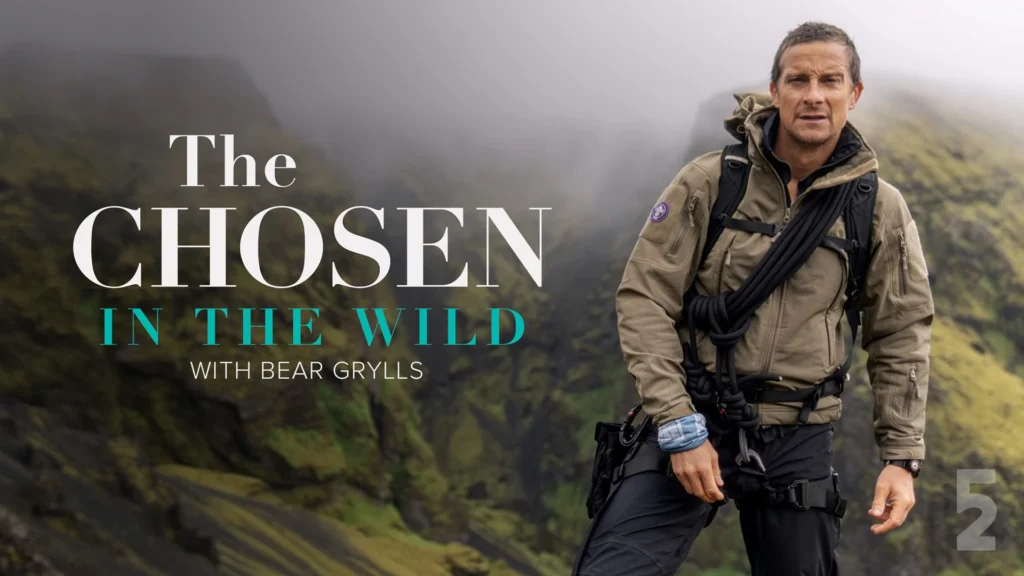
As of August 9, 2026, all six episodes of The Chosen in the Wild With Bear Grylls are available to stream on Prime Video. The complete adventure series can be watched in supported Prime Video regions worldwide, allowing fans to binge-watch the entire season from start to finish. Viewers with an eligible Amazon Prime or Prime Video subscription can follow Bear Grylls and the stars of The Chosen as they take on challenging wilderness adventures.
The Chosen in the Wild With Bear Grylls Synopsis
The Chosen in the Wild With Bear Grylls follows stars of The Chosen as they leave the safety of the set for challenging adventures in the wilderness. Under the guidance of legendary survivalist Bear Grylls, each guest is pushed beyond familiar surroundings and routines. The challenges include leaping from planes, scaling cliffs, eating scorpions, crossing canyons, and navigating rugged terrain. Along the way, Bear travels with Jonathan Roumie, Paras Patel, Elizabeth Tabish, Noah James, Luke Dimyan, and Dallas Jenkins. Their journeys unfold across some spectacular American landscapes, from Utah’s desert country to rivers and forests. Yet the series is about more than survival, as Bear uses these difficult situations to open conversations about faith and spirituality. The result is an unscripted adventure series that mixes danger, humor, vulnerability, and personal reflection.
When does The Chosen in the Wild With Bear Grylls premiere?
The Chosen in the Wild With Bear Grylls premieres on Sunday, August 9, 2026, on Prime Video. All six episodes debut on the same day, allowing viewers to stream the complete first season immediately.
Cast
- Bear Grylls – Himself
- Luke Dimyan – Judas
- Elizabeth Tabish – Mary Magdalene
- Dallas Jenkins – Himself
- Noah James – Andrew
- Paras Patel – Matthew
- Jonathan Roumie – Jesus
How many episodes does The Chosen in the Wild With Bear Grylls have?
The Chosen in the Wild With Bear Grylls Season 1 has six episodes, all released on August 9, 2026.
Episode Guide:
- Episode 1 – Luke Dimyan
Bear Grylls takes Luke Dimyan, who plays Judas, into Utah’s wilderness. The opening episode puts Dimyan’s ability to adapt to an unpredictable outdoor environment to the test. Runtime: 48 minutes. - Episode 2 – Elizabeth Tabish
Elizabeth Tabish, known as Mary Magdalene, joins Bear in the spectacular Canyonlands. Their journey combines the physical demands of the landscape with the show’s more personal side. Runtime: 47 minutes. - Episode 3 – Dallas Jenkins
Dallas Jenkins may prefer being indoors, but that offers little protection once Bear takes charge. The Chosen creator leaves his familiar working environment behind for an outdoor challenge designed to push his limits. Runtime: 47 minutes. - Episode 4 – Noah James
Bear begins Noah James’ mission with a memorable helicopter pickup from the Colorado River. The actor who plays Andrew then faces a wilderness experience far removed from life on The Chosen set. Runtime: 45 minutes. - Episode 5 – Paras Patel
Paras Patel heads into the Great Basin with Bear Grylls. The rugged setting gives the actor behind Matthew a chance to test himself physically while opening up during the expedition. Runtime: 43 minutes. - Episode 6 – Jonathan Roumie
Jonathan Roumie joins Bear for the season’s final mission. The actor known around the world for portraying Jesus steps away from scripted drama for a personal wilderness adventure shaped by survival, challenge, and faith. Runtime: 43 minutes.
Where to Watch The Chosen in the Wild With Bear Grylls
You are able to watch The Chosen in the Wild With Bear Grylls on Prime Video in supported countries, including the United States, Canada, the UK, Australia, and New Zealand. All six episodes premiered on August 9, 2026, with the complete season available at launch.
Can I download The Chosen in the Wild With Bear Grylls for offline viewing?
Yes. Prime Video allows eligible subscribers to download The Chosen in the Wild With Bear Grylls episodes for offline viewing through the Prime Video app on supported mobile devices and tablets, subject to regional availability and Amazon’s download policies.
Devices You Can Use to Watch Prime Video
| Device Category | Supported Devices |
|---|---|
| Smart TVs | Selected Samsung, LG, Sony, Panasonic and other compatible Smart TVs |
| Amazon Devices | Fire TV, Fire TV Stick, Fire Tablets, Echo devices with screens |
| Smartphones | Android phones, iPhone |
| Tablets | Android tablets, iPad, Fire Tablet |
| Computers | Windows PCs, Macs, Chromebooks and Linux computers |
| Web Browsers | Chrome, Firefox, Edge, Safari, Opera |
| Streaming Devices | Apple TV and selected compatible media players/set-top boxes |
| Gaming Consoles | Compatible PlayStation and Xbox consoles |
| Blu-ray Players | Selected Blu-ray players with the Prime Video app |
| Other Devices | Selected Meta Quest and Android Automotive devices |
The Chosen in the Wild With Bear Grylls Trailer
FAQs
- Is The Chosen in the Wild With Bear Grylls scripted?
The series is presented by Prime Video as an unscripted adventure series. It follows Bear Grylls and his guests through real outdoor challenges while incorporating personal discussions about their lives, experiences, and faith. - What challenges do the cast face?
The participants tackle activities including skydiving, rappelling, crossing rivers, navigating rugged terrain, climbing cliffs, and eating unusual survival foods such as scorpions. - Where was The Chosen in the Wild With Bear Grylls filmed?
The adventures take place across several striking American wilderness locations. They include Castle Valley, Canyonlands, the Ausable River, the Colorado River, the Great Basin Desert, and the Adirondack Forest.
You May Also Check This Out
When you make a purchase through links on our site, we may earn an affiliate commission at no additional cost to you. Learn more about how this works.


GIPHY App Key not set. Please check settings