
 Mike Smith
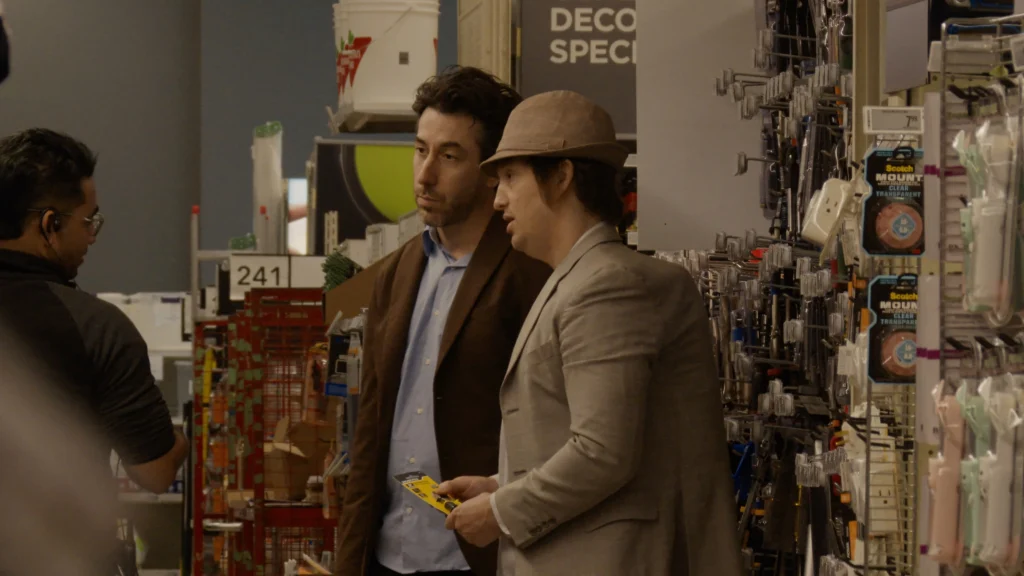
Here’s everything you need to know about Nirvanna the Band the Show the Movie.
How to watch Nirvanna the Band the Show the Movie outside Canada on Crave
To watch Nirvanna the Band the Show the Movie outside Canada, use a reliable VPN and connect to a Canadian server. Once connected, sign in to your Crave account and start streaming the movie.
- Subscribe to NordVPN
- Install the VPN app on your device.
- Connect to a Canada-based server.
- Open Crave website, then login or sign up for a new account.
- You are all set to watch Nirvanna the Band the Show the Movie online from anywhere!
Nirvanna the Band the Show the Movie Synopsis
Nirvanna the Band the Show the Movie is a movie that follows Matt and Jay as their latest attempt to book a performance at Toronto’s Rivoli takes an unexpected turn, sending them back to 2008 through a bizarre time-travel accident.
Blending comedy, science fiction, and adventure, the film expands the offbeat world of the cult series while keeping its signature awkward humor and unpredictable storytelling. As the pair struggle to deal with the past, they face a series of strange situations that threaten to change their future, all while chasing the same dream that has always driven them.
Where to Watch Nirvanna the Band the Show the Movie in the US
You can watch Nirvanna the Band the Show the Movie by renting or buying it through Prime Video, Apple TV, or Fandango at Home.
Where to Watch Nirvanna the Band the Show the Movie in Canada
Nirvanna the Band the Show the Movie is available to stream on Crave with an active subscription. Simply sign in to your account and watch the movie online.
Where to Watch Nirvanna the Band the Show the Movie in Australia
Australian viewers can rent or buy Nirvanna the Band the Show the Movie on Prime Video or Apple TV.
Nirvanna the Band the Show the Movie Cast
Here are the main cast members featured in the movie.
- Matt Johnson as Matt
- Jay McCarrol as Jay
- Ben Petrie as Ben
- Ethan Eng as Ethan
- Michael Scott as Michael
- Jared Raab as Jared
- Reid Janisse as Reid
- Steve Hamelin as Steve
- Luke Lalonde as Luke
On What Devices Can You Watch Crave?
You can stream Crave on many popular devices.
| Device Type | Supported Devices |
|---|---|
| Smart TVs | Samsung Smart TV, LG Smart TV, Android TV |
| Streaming Devices | Amazon Fire TV, Apple TV, Chromecast, Roku |
| Mobile Devices | Android phones and tablets, iPhone, iPad |
| Computers | Windows PCs, Macs, supported web browsers |
Can You Watch Nirvanna the Band the Show the Movie Online for Free?
No. Nirvanna the Band the Show the Movie is not currently available to watch for free.
Is Nirvanna the Band the Show the Movie Suitable for All Ages?
No. The movie carries a 14+ (or 13+ in some regions) age rating and is intended primarily for teens and adults. It contains mature language, comedic situations, and themes that may not be suitable for younger children.
Where Can You Download Nirvanna the Band the Show the Movie?
You can legally download Nirvanna the Band the Show the Movie after purchasing it from supported digital stores such as Prime Video and Apple TV, where download options are available on compatible devices.
FAQs
Who directed Nirvanna the Band the Show the Movie?
The movie was directed by Matt Johnson.
Who wrote Nirvanna the Band the Show the Movie?
The screenplay was written by Matt Johnson and Jay McCarrol, with story contributions from several collaborators including Curt Lobb, Evan Morgan, Matthew Miller, Matt Greyson, Jared Raab, and Luca Tarantini.
Where was Nirvanna the Band the Show the Movie filmed?
The movie was filmed in Toronto, Ontario, Canada.
How long is Nirvanna the Band the Show the Movie?
The runtime is 1 hour and 40 minutes.
Trailer
You May Also Check This Out
When you make a purchase through links on our site, we may earn an affiliate commission at no additional cost to you. Learn more about how this works.


GIPHY App Key not set. Please check settings