
 Mike Smith
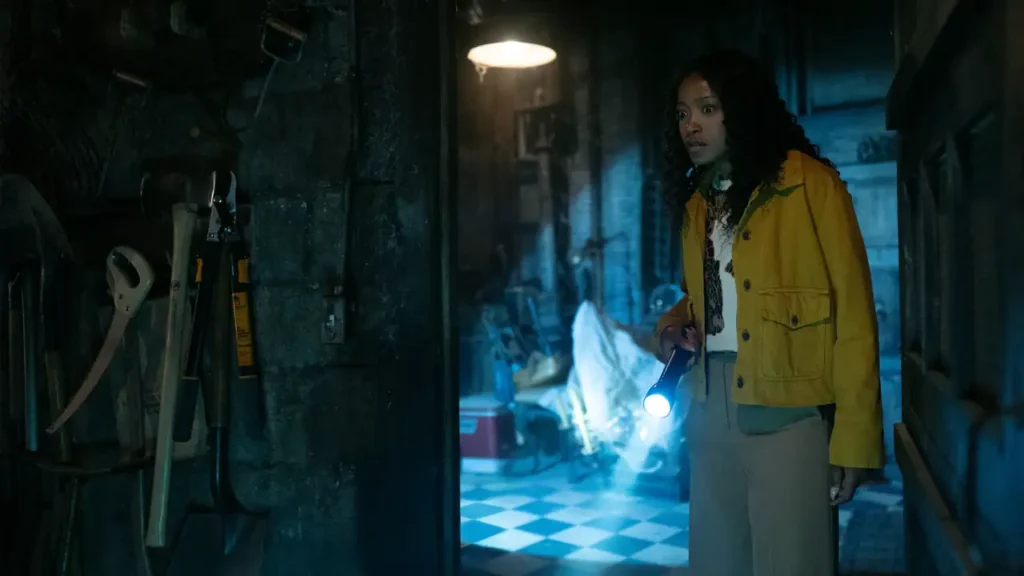
Here’s everything you need to know about The ’Burbs, the new Peacock original series that reimagines suburban life through dark comedy and mystery as a seemingly quiet neighborhood begins to unravel.
How to watch The ‘Burbs in Canada on Peacock
To watch The ‘Burbs in Canada on Peacock, follow these steps:
- Subscribe to NordVPN
- Install the VPN app on your device.
- Connect to a US-based server.
- Open Peacock website, then login or sign up for a new account.
- You are all set to watch The ‘Burbs season 1 online!
The ‘Burbs (2026 TV Series) Synopsis
The ’Burbs is a 2026 series that follows a newly married couple who move back into the husband’s childhood home in a quiet suburban neighborhood. At first, the street feels familiar and safe, but that sense of comfort quickly fades when strange behavior and unsettling events start to surface. As new neighbors move in and old tensions resurface, the couple begins to notice that everyone on the block is hiding something.
When Does The ‘Burbs Season 1 Premiere in Canada?
The ’Burbs Season 1 premieres in Canada on February 12, 2026, airing on W Network at 9 p.m. ET. New episodes will be available to stream on StackTV, as well.
Where to Watch The ‘Burbs Season 1 in Canada
In Canada, you can watch The ’Burbs on W Network and stream it through StackTV. The series is available to stream with a StackTV subscription, including access via the StackTV Prime Video Channel.
The ‘Burbs Season 1 Episodes
Season 1 consists of eight episodes:
- Episode 1 – Premiere date: February 8, 2026
The newly married couple settles into the husband’s childhood home, where an unsettling change on the street hints that their quiet return will not stay peaceful for long. - Episode 2 – Premiere date: February 8, 2026
Suspicious behavior from next door sparks growing paranoia, pushing neighbors to compare notes and question what they truly know about each other. - Episode 3 – Premiere date: February 8, 2026
An unexpected discovery turns harmless gossip into genuine concern as old grudges and buried histories begin to surface. - Episode 4 – Premiere date: February 8, 2026
The neighborhood attempts damage control, but secrecy only fuels mistrust when a shocking incident draws unwanted attention. - Episode 5 – Premiere date: February 8, 2026
Personal relationships fracture as alliances form, revealing that danger may be closer than anyone anticipated. - Episode 6 – Premiere date: February 8, 2026
A risky investigation uncovers disturbing truths that threaten to dismantle the community’s carefully maintained image. - Episode 7 – Premiere date: February 8, 2026
Fear grips the cul-de-sac as events spiral out of control, forcing residents to choose between self-preservation and loyalty. - Episode 8 – Premiere date: February 8, 2026
The season finale brings long-simmering secrets into the open, delivering consequences that permanently alter the neighborhood.
The ‘Burbs Cast
Here’s the cast list:
- Keke Palmer as Samira
- Jack Whitehall as Rob
- Julia Duffy as Lynn
- Paula Pell as Dana
- Mark Proksch as Tod
- Kapil Talwalkar as Naveen
On What Devices Can You Watch StackTV?
| Device Category | Supported Devices |
|---|---|
| Smart TVs | Samsung Smart TV, LG Smart TV, Vizio Smart TV |
| Streaming Devices | Roku, Amazon Fire TV, Apple TV, Chromecast |
| Mobile Devices | iPhone, iPad, Android phones and tablets |
| Computers | Windows PCs, Mac computers via web browsers |
| Gaming Consoles | PlayStation, Xbox |
Is The ‘Burbs TV Show Suitable for All Ages?
The series is rated NC16 and is not suitable for younger viewers. Its themes include dark comedy, mystery, and mature situations that are best suited for older teens and adults.
FAQs
Who created The ‘Burbs television series?
The series was created by Celeste Hughey, who adapted the show from the original 1989 film.
Is The ‘Burbs based on an earlier movie?
Yes. The series is an adaptation of the 1989 film The ‘Burbs, bringing its dark comedic tone and paranoia-driven storytelling into an episodic television format.
The ‘Burbs Trailer – 2026
You May Also Check This Out
When you make a purchase through links on our site, we may earn an affiliate commission at no additional cost to you. Learn more about how this works.


GIPHY App Key not set. Please check settings