
 Isabella Thornton
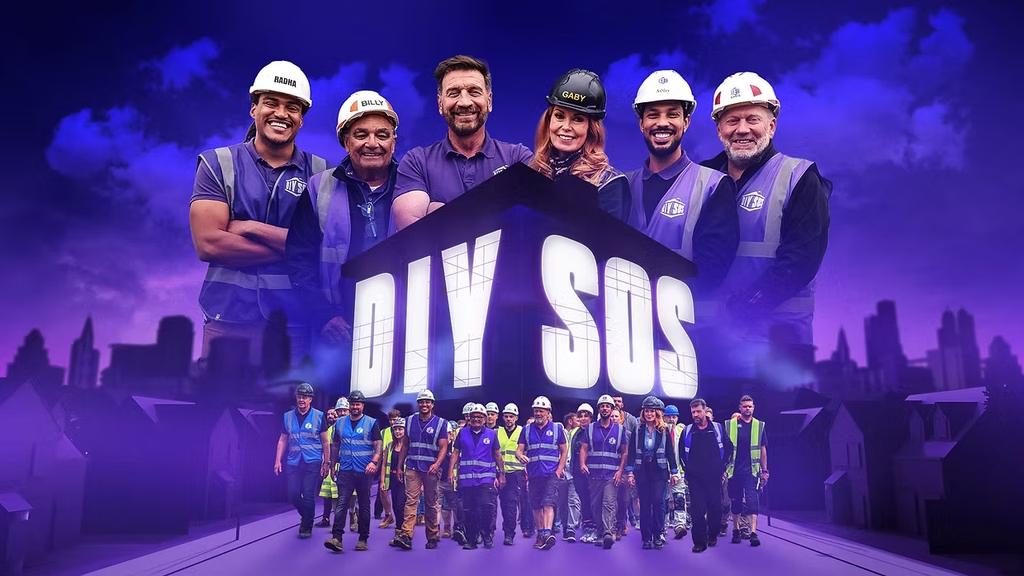
Here’s everything you need to know about the BBC original series DIY SOS: The Big Build Season 35, including its premiere date, BBC One and BBC iPlayer availability, complete episode guide, and cast lineup. You’ll also find a simple step-by-step guide explaining how to watch DIY SOS: The Big Build Season 35 online from outside the UK. Got a question about the new season? Leave it in the comments below, and I’ll help you find the information you need to start watching.
How can I watch DIY SOS Series 35 outside the UK on BBC iPlayer?
To watch DIY SOS Series 35 outside the UK, use a reliable VPN and connect to a UK server before accessing BBC iPlayer. A VPN can provide a UK IP address, although access remains subject to BBC iPlayer’s location rules and terms of use. You’ll also need a valid UK TV licence to legally watch live BBC channels or programmes on BBC iPlayer. This gives eligible UK viewers a secure way to access their usual streaming service while travelling abroad.
- Subscribe to NordVPN
- Install the VPN app on your device.
- Connect to a UK-based server.
- Visit the BBC iPlayer website, then sign in or create a new BBC account. During registration, you’ll be asked for a UK postcode — if you don’t have one, you can use an online UK postcode generator.
- You are all set to watch DIY SOS Series 35 restriction-free!
DIY SOS: The Big Build Season 35 Synopsis
DIY SOS: The Big Build Season 35 once again sees Nick Knowles and his team unite communities around families who need life-changing changes to their homes. Volunteers, local suppliers and skilled tradespeople work together on some of the programme’s most demanding builds yet. The season begins in Glasgow, where the team meets Raymond and his children, Kai and Nell, following the death of their wife and mother, Gill. Nell uses a wheelchair and wants greater independence, but the family’s existing home does not provide the accessibility she needs. Her father Raymond has given up his work as a plumber to become her full-time carer. The team therefore faces the challenge of transforming a limited space into an accessible family home that can give Nell more freedom. Across the new series, that same combination of ambitious construction, personal stories and community support remains at the centre of DIY SOS.
When does DIY SOS: The Big Build Season 35 premiere?
DIY SOS: The Big Build Season 35 premieres on Tuesday, September 22, 2026, at 8:00 PM on BBC One in the UK.
Season 35 Cast
- Nick Knowles – Presenter: Knowles returns as the familiar face leading the builds and bringing volunteers, families and tradespeople together.
- Billy Byrne – Expert: The long-standing DIY SOS electrician returns as one of the programme’s familiar purple-shirt regulars.
- Chris Frediani – Expert: Frediani returns as the team’s experienced plasterer and another established member of the DIY SOS family.
- Gaby Blackman – Expert/Designer: Blackman works with the team on the design side of the ambitious home transformations.
- Radha Sivyer – Expert/Woodworker: Sivyer joins the series as a fresh face, bringing specialist woodworking skills and new ideas to the builds.
- Ashley Edwards – Expert/Gardener: Edwards is another new addition, contributing gardening expertise to the transformation projects.
Episode Guide:
- Episode 1 – “Nell’s Next Chapter” – September 22, 2026
In Glasgow, Nick and the team help Raymond and his children Kai and Nell after the loss of Gill. Because Nell uses a wheelchair, the team transforms the family’s home into a more accessible space where she can enjoy greater independence and the family can look toward a more hopeful future. - Episode 2 – “A New Beginning for Georgie” – September 29, 2026
The second confirmed episode is titled “A New Beginning for Georgie” and is scheduled for September 29.
Where to Watch DIY SOS: The Big Build Season 35 in the UK
Yes, you can watch DIY SOS: The Big Build Season 35 on BBC iPlayer without a separate streaming subscription in the UK. Simply sign in or create a free BBC account to stream available episodes online. You must have a valid UK TV licence to legally watch programmes on BBC iPlayer.
Is there a way to watch DIY SOS: The Big Build Season 35 online for free?
You can stream DIY SOS: The Big Build Season 35 for free on BBC iPlayer, provided you have a valid UK TV licence. Simply log in or create a free BBC iPlayer account to unlock full access to every episode online within the UK.
How to Sign Up for BBC iPlayer
| Step | What to Do |
|---|---|
| 1 | Open BBC iPlayer |
| 2 | Select Sign In |
| 3 | Choose to create a BBC account if you do not already have one |
| 4 | Enter your email address and required account details |
| 5 | Create a password and complete registration |
| 6 | Sign in to BBC iPlayer |
| 7 | Search for DIY SOS: The Big Build Season 35 |
| 8 | Select an available episode and start streaming |
| Requirement | You need a valid UK TV licence to watch BBC iPlayer |
FAQs
- Who presents DIY SOS: The Big Build Season 35?
Nick Knowles returns as the presenter of DIY SOS. He has fronted the long-running BBC programme for more than 20 years and continues to lead the community-based transformations in the new series. - Who is in the DIY SOS Season 35 team?
The new series is led by Nick Knowles, with familiar team members including Billy Byrne, Chris Frediani and Gabrielle Blackman. Radha Sivyer has also appeared as part of the DIY SOS team, while the supplied BBC material for this series additionally identifies Ashley Edwards as an expert. - Where is Nell’s Next Chapter filmed?
The first episode takes place in Glasgow, Scotland. The DIY SOS team works on Raymond’s family home, redesigning it to provide a more accessible environment where Nell can become more independent.
You May Also Check This Out
When you make a purchase through links on our site, we may earn an affiliate commission at no additional cost to you. Learn more about how this works.


GIPHY App Key not set. Please check settings