
 Mike Smith
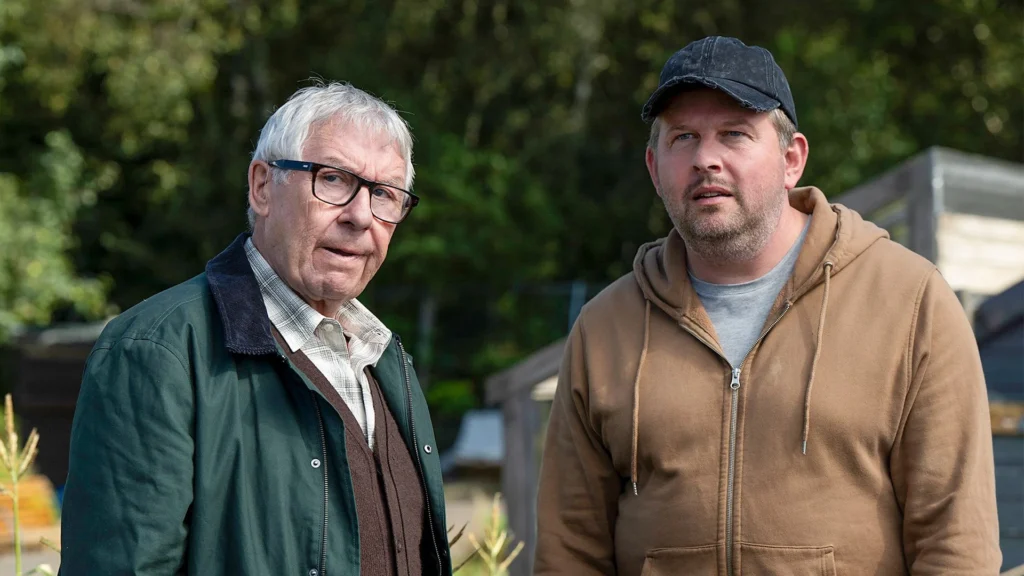
Here’s everything you need to know about the new season of BBC comedy series Only Child.
How to watch Only Child Season 2 in the US on BBC iPlayer
To watch Only Child Season 2 in the US, use a reliable VPN and connect to a UK server before opening BBC iPlayer. Once connected, sign in with a BBC account and stream all episodes online.
- Subscribe to NordVPN
- Install the VPN app on your device.
- Connect to a UK-based server.
- Open BBC iPlayer website, then login or sign up for a free account. A UK postal code is required when creating a new account, and you can use a UK postcode generator if needed.
- You are all set to watch Only Child Series 2!
Only Child Season 2 Synopsis
Only Child Season 2 is a new season of the comedy series that focuses on Richard trying to manage his own life while looking after his stubborn and eccentric father Ken in the Scottish Highlands. As Richard worries about turning 40 and searches for stable work, Ken throws himself into new adventures that include driving lessons, online train tickets, local community battles, and even dating again after decades on his own. The new season continues the show’s warm mix of family tension, awkward affection, and grounded Scottish humor while exploring how the relationship between father and son keeps evolving.
When Does Only Child Season 2 Premiere?
Only Child Season 2 premiered on May 4, 2026 on BBC iPlayer. All six episodes became available to stream on BBC iPlayer from launch day, while the television broadcast began on BBC One on May 6, 2026 at 9:30pm with weekly episodes.
Only Child Season 2 Cast
Here are the main cast members for season 2.
- Gregor Fisher as Ken Pritchard
- Greg McHugh as Richard Pritchard
- Amy Lennox as Emily
- Stuart Bowman as Rod
- Clare Barrett as Jen
- Forbes Masson
- Kevin Bishop as Tim
- Jenny Galloway as Beth
- Clive Russell as Horrace
- Tam Dean Burn as Paul
Only Child Season 2 Episodes
Below is the episode guide for season 2.
- Episode 1 – Growing – Premiere date: May 4, 2026
Richard and Ken join local residents fighting to save the town allotments from redevelopment. - Episode 2 – Seize the Day-Lewis – Premiere date: May 4, 2026
- Episode 3 – Dual Control – Premiere date: May 4, 2026
Richard reluctantly agrees to put Ken through a mock driving test. - Episode 4 – Training Day – Premiere date: May 4, 2026
Ken struggles to understand QR code train tickets while Richard tries to help. - Episode 5 – Secrets and Ladders – Premiere date: May 4, 2026
Ken plans a quiet evening with Beth, but the night quickly becomes complicated. - Episode 6 – TBC – Premiere date: May 4, 2026
The allotment dispute reaches a major turning point as Richard faces an important decision about his future.
Is Only Child Series Suitable for All Ages?
Yes. Only Child is generally suitable for teen and adult audiences because it focuses on family relationships, aging, and everyday comedy situations.
On What Devices Can You Watch BBC iPlayer?
BBC iPlayer works across a wide range of streaming and mobile devices.
| Device Type | Supported Devices |
|---|---|
| Smart TVs | Samsung Smart TVs, LG Smart TVs, Android TVs |
| Streaming Devices | Roku, Amazon Fire TV, Apple TV, Chromecast |
| Mobile Devices | iPhone, iPad, Android phones and tablets |
| Gaming Consoles | PlayStation consoles, Xbox consoles |
| Web Browsers | Chrome, Safari, Firefox, Edge |
FAQs
Who created Only Child Season 2?
Only Child was created and written by Bryce Hart. He is a Scottish writer and comedian.
Where was Only Child Season 2 filmed?
Only Child Season 2 was filmed primarily in and around Forres on Scotland’s Moray coast.
Is Only Child Season 2 available with accessibility features?
Yes. BBC iPlayer provides accessibility options including audio description and sign language support for the series.
Preview
You May Also Check This Out
When you make a purchase through links on our site, we may earn an affiliate commission at no additional cost to you. Learn more about how this works.


GIPHY App Key not set. Please check settings