
 Mike Smith
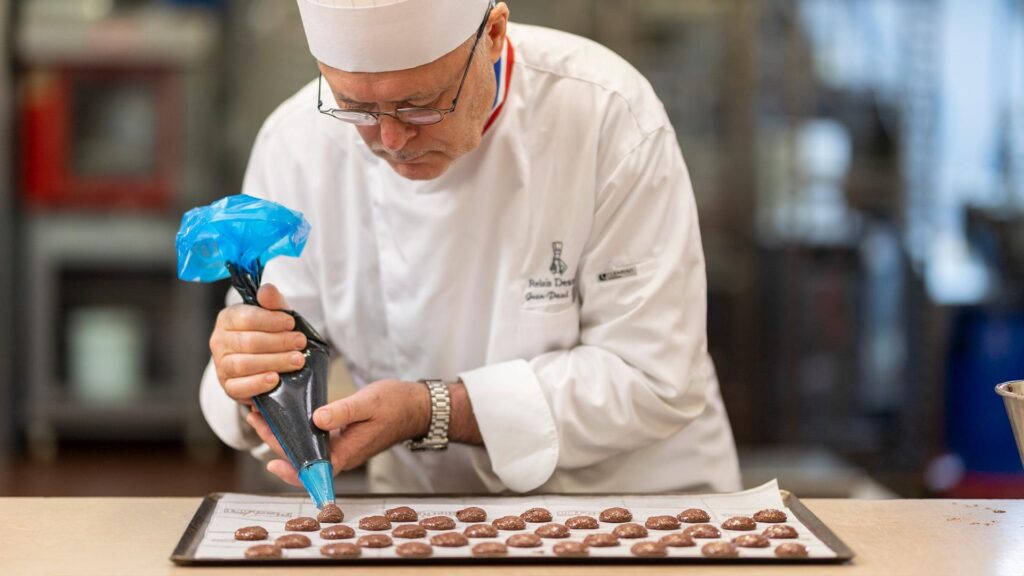
Here’s how you can watch all episodes of Made With Love outside the US, whether you are in Canada, the UK, Australia, or anywhere else.
How to watch Made With Love outside the US on PBS
To watch Made With Love outside the US, use a reliable VPN and connect to a US server so you can access PBS. Once connected, open PBS.org or the PBS App, sign in if needed, and start streaming the series.
- Subscribe to NordVPN
- Install the VPN app on your device.
- Connect to a US-based server.
- Open the PBS website, then login or sign up for a new account.
- You are all set to watch Made With Love season 1 episodes online from anywhere!
Made With Love Synopsis
Made With Love is a documentary series that follows skilled artisans around the world as they create handcrafted pieces rooted in tradition, culture, and personal passion.
Each episode takes you to a different country, from the rolling countryside of Ireland to the artistic workshops of Italy, offering a close look at the people behind these timeless crafts. Rather than rushing through the process, the series slows things down, letting you see how generations of knowledge are passed along, and why these creators continue to dedicate their lives to work that is deeply personal and meaningful.
Where to Watch Made With Love
Made With Love is available to stream on PBS through its official website and the PBS App. You can watch the series online anytime by visiting PBS.org or using the app on your preferred device.
Made With Love Season 1 Episodes
Here are the episodes in season 1.
- Episode 1 – Italy Made With Love
Travel across Italy to meet artisans who continue to create handmade goods using traditional techniques passed down over generations. - Episode 2 – Italy Made With Love: Generations
This chapter focuses on Italian creators whose families have preserved their craft for decades, from painters to truffle hunters. - Episode 3 – Mexico Made With Love
Explore Mexico’s vibrant culture through the work of artisans who reflect the country’s history in every piece they make. - Episode 4 – America Made With Love
The episode highlights innovative American makers who blend tradition with modern creativity in unique ways. - Episode 5 – France Made With Love
Discover the elegance and craftsmanship of French artisans known for their attention to detail and refined techniques. - Episode 6 – America Made With Love, Part 2
A deeper look at American creators, focusing on their stories, inspirations, and the evolution of their craft.
Is Made With Love Suitable for All Ages?
Yes, it is suitable for all ages as it presents calm, educational content focused on culture, craftsmanship, and real-life stories.
On What Devices Can You Watch PBS?
You can stream PBS on a wide range of supported devices.
| Device Type | Supported Platforms |
|---|---|
| Smartphones | iPhone, Android smartphones |
| Smart TVs | Samsung Smart TV, Vizio |
| Streaming Devices | Roku, Amazon Fire TV, Apple TV |
| Tablets | Amazon Fire Tablet |
| TV Platforms | Android TV |
FAQs
What makes Made With Love different from other travel shows?
It focuses less on destinations and more on the people and skills behind handmade creations, giving a deeper and more personal perspective.
Is Made With Love filmed in multiple countries?
Yes, the series travels across different regions including Italy, France, Mexico, and the United States to showcase diverse traditions.
Does the series focus on modern or traditional crafts?
It blends both, highlighting traditional techniques while also showing how artisans adapt their work for today’s world.
Is Made With Love an award-winning series?
Yes, it has received recognition including Emmy-level acclaim for its storytelling and production quality.
You May Also Check This Out
When you make a purchase through links on our site, we may earn an affiliate commission at no additional cost to you. Learn more about how this works.


GIPHY App Key not set. Please check settings