
 Isabella Thornton
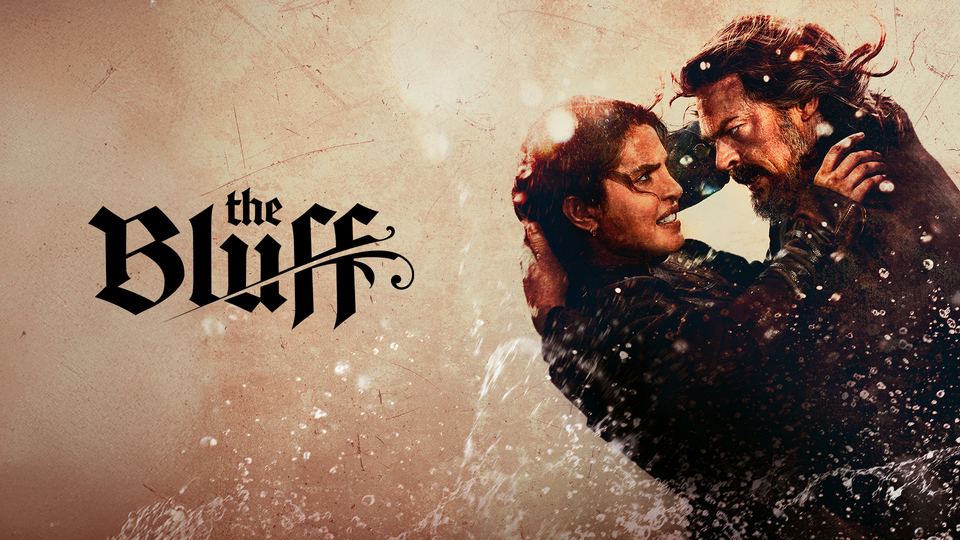
As of February 25, 2026, The Bluff is streaming exclusively on Prime Video, marking one of the platform’s biggest global movie releases of the year. The film launched simultaneously in over 240 countries and territories, giving audiences worldwide instant access on release day. With an active Amazon Prime membership, viewers can watch The Bluff on demand across supported devices.
The Bluff (2026) Synopsis
The Bluff is set in the late 19th-century Caribbean, where Ercell Bodden, a former pirate, has built a peaceful life away from violence. Her calm existence collapses when Captain Connor, a ruthless figure from her past, arrives seeking revenge. Forced to confront the life she tried to bury, Ercell must rely on her deadly skills to protect her family. The film explores survival and redemption, showing how love can be both a weakness and a weapon. As danger tightens its grip, Ercell embraces the warrior she once was. The story balances intense action with emotional depth. At its heart, The Bluff is about reclaiming power in the face of impossible odds.
When does The Bluff premiere?
The Bluff officially premiered on February 25, 2026. The film launched globally on Prime Video, making it instantly available to Prime subscribers.
Cast
- Priyanka Chopra – Ercell Bodden
- Karl Urban – Captain Connor
- Ismael Cruz Córdova – T.H. Bodden
- Safia Oakley-Green – Elizabeth Bodden
- Vedanten Naidoo – Isaac
- Temuera Morrison – Lee
Supporting Role:
- Zack Morris
- David Field
- Pacharo Mzembe
- Gideon Mzembe
- Ronnie James Hughes
- Max McVeigh
- Harry Reid
Where to watch The Bluff (2026)
As of February 25, 2026, you can watch The Bluff on Prime Video in Canada, the United Kingdom, and Australia, where the movie is officially available for streaming. Viewers in these countries can access the film with an active Amazon Prime membership, allowing instant on-demand viewing across supported devices. Since availability can vary by region, it’s always best to check your local Prime Video library to confirm access in Canada, the UK, or Australia.
Is The Bluff R-rated?
Yes, the film carries an R-rating due to intense action and violence.
Is there a official way to watch The Bluff online for free?
New Prime Video users can often use a 30-day free trial to watch the entire season without charge.
Can I Download The Bluff?
Prime Video typically allows downloads for offline viewing on supported devices. If the title appears in your library, you can download it using the app’s offline feature. This is helpful for watching during travel or without internet access.
Devices That Support Prime Video:
| Device Category | Supported Devices |
|---|---|
| Smart TVs | Samsung Smart TV, LG Smart TV, Sony Smart TV, Android TV, Panasonic Smart TV, Hisense Smart TV |
| Streaming Devices | Amazon Fire TV, Fire TV Stick, Roku, Google Chromecast, Apple TV |
| Mobile Devices | Android smartphones and tablets, iPhone, iPad |
| Computers & Laptops | Windows PC, macOS using Chrome, Safari, Firefox, Microsoft Edge |
| Game Consoles | PlayStation 4, PlayStation 5, Xbox One, Xbox Series X, Xbox Series S |
| Set-Top Boxes & Players | Supported Blu-ray players and cable TV set-top boxes with Prime Video app |
The Bluff Trailer
FAQs
- Where was The Bluff filmed?
The Bluff was primarily filmed in Australia, especially at Village Roadshow Studios in Queensland, though the story is set in the Caribbean. - What genre is The Bluff?
The Bluff is a swashbuckler action-thriller with historical and adventure elements. - Who directed The Bluff?
The film was directed by Frank E. Flowers, who also co-wrote the script. - What is the runtime of The Bluff?
The Bluff has a runtime of approximately 101 minutes. - Who produced The Bluff?
The film is produced by AGBO, Cinestar Pictures, and Purple Pebble Pictures, with the Russo Brothers and Priyanka Chopra among exec producers.


GIPHY App Key not set. Please check settings